For Pokemon, One Piece, MTG and More Instant Notifications, Download the Mobile App


Products include affiliate links, may earn commission on sale at no extra cost to you.
How to Create an Amazon Japan Account (US Users)
1. Switch the Site to English
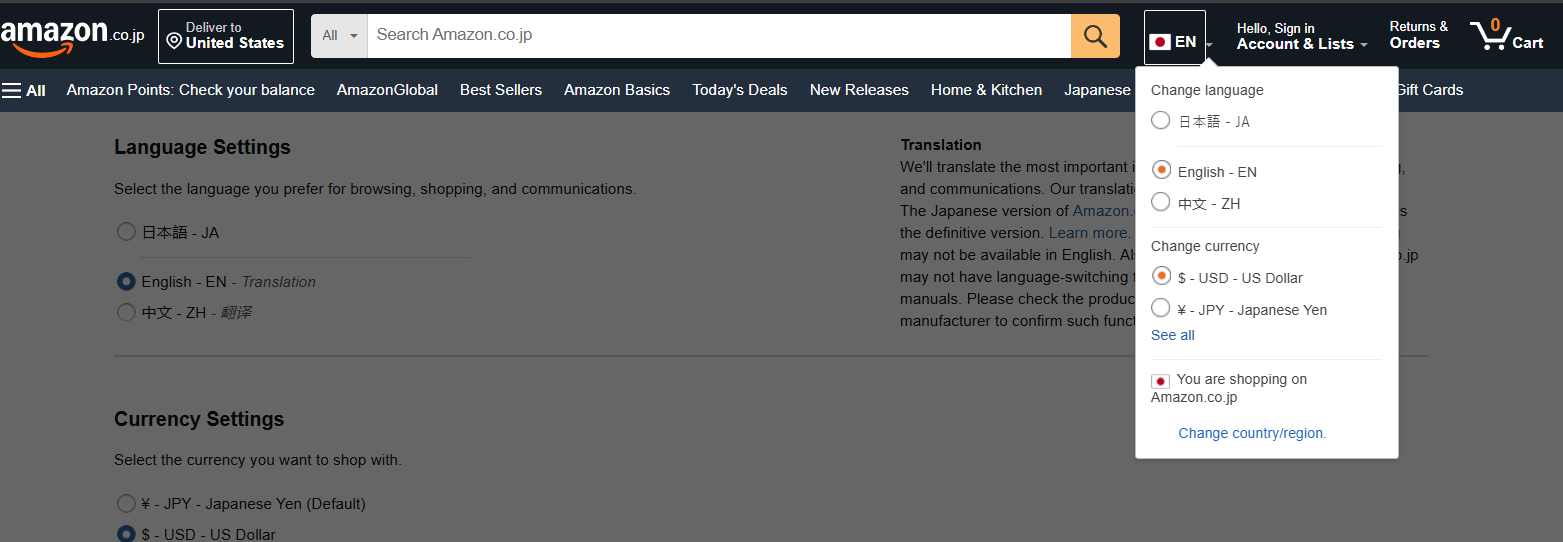
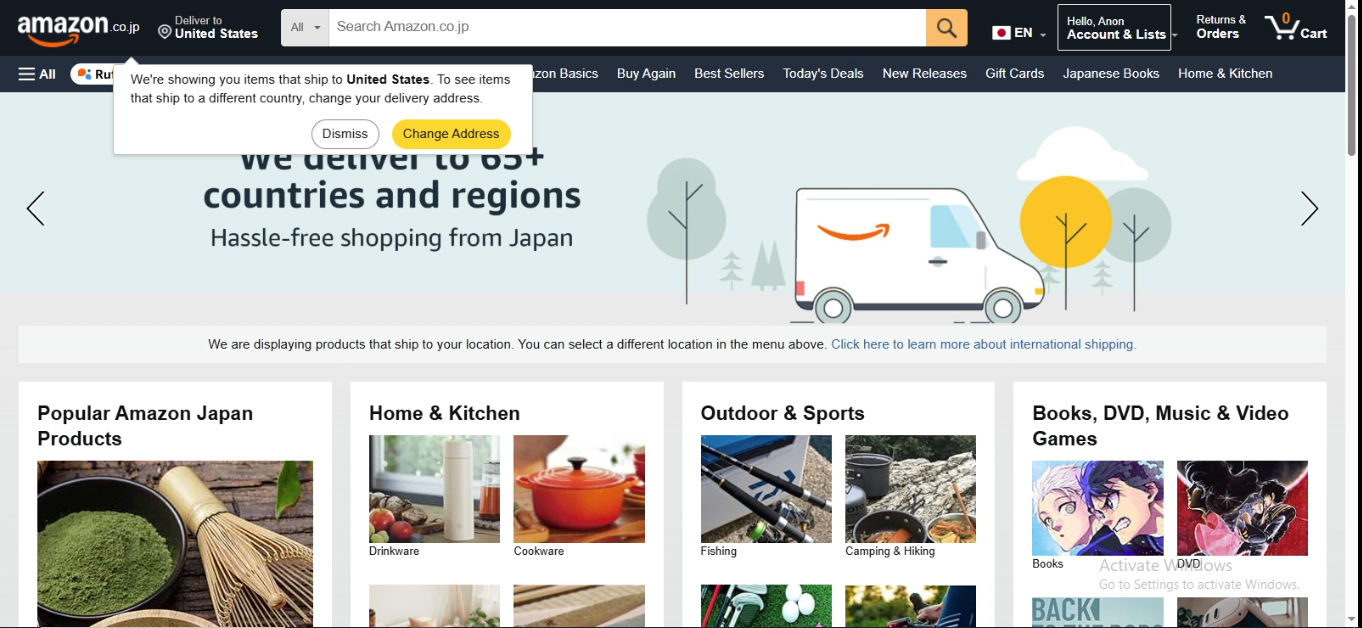
Go to amazon.co.jp. At the top right of the search bar, click the flag icon and choose EN to switch the site to English. You may also use your browser’s translation feature.
Screenshot below
2. Create Your Account
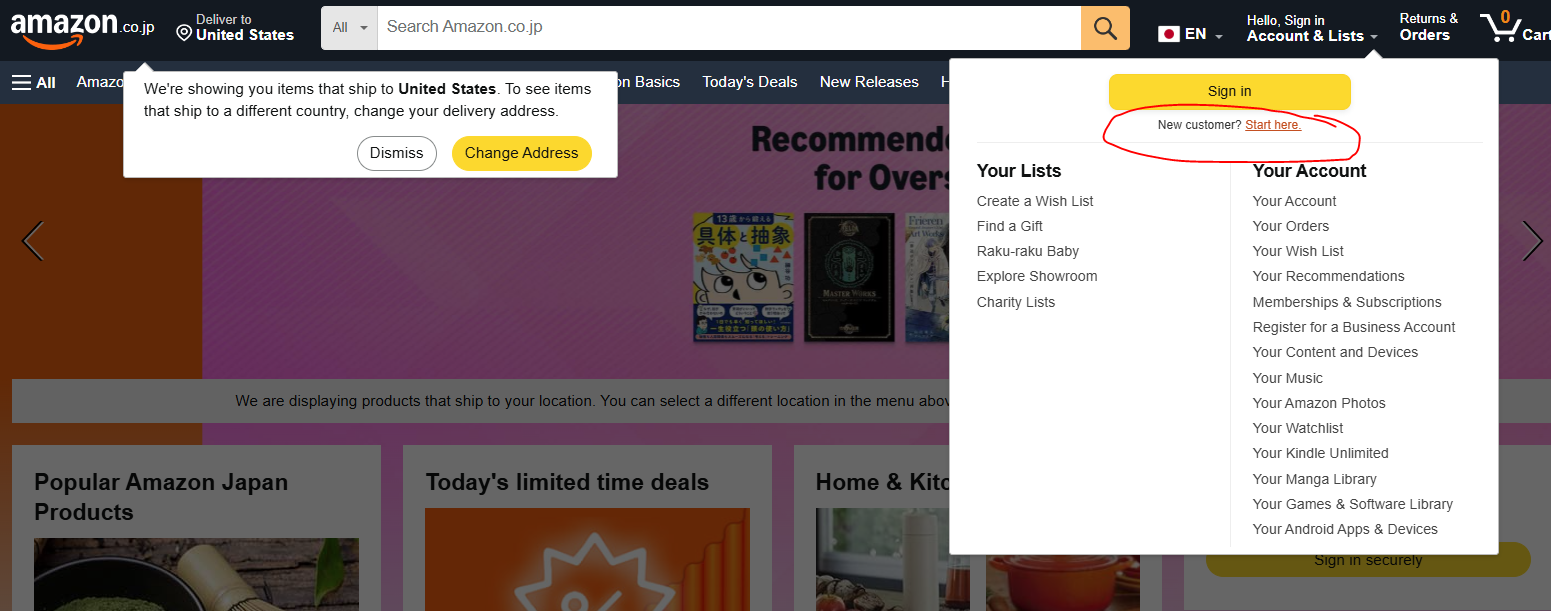
Click Sign In, then select New customer? Start here.
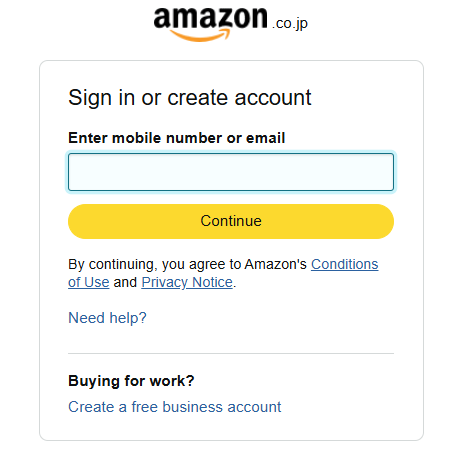
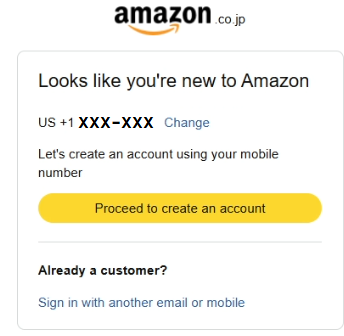
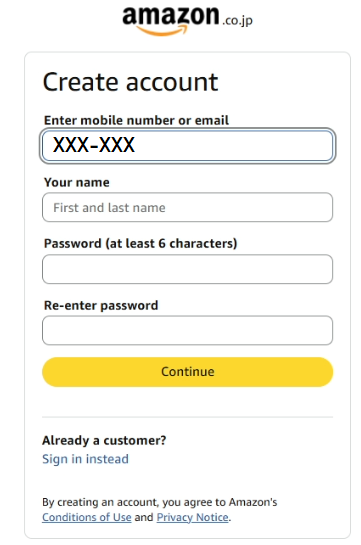
Enter your email or phone number. This can be the same one used on your Amazon US account — accounts are not shared between regions.
After clicking Next, Amazon will ask for your name and a new password.
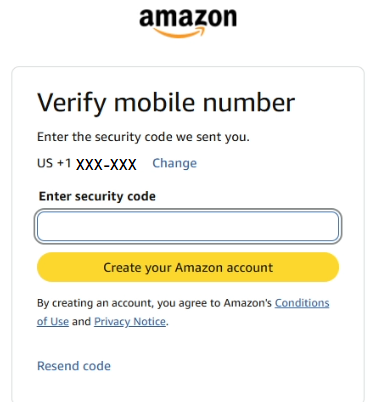
Amazon will then send an OTP code by email or SMS. Enter it to complete account creation.
Screenshots below
3. Add Your US Address
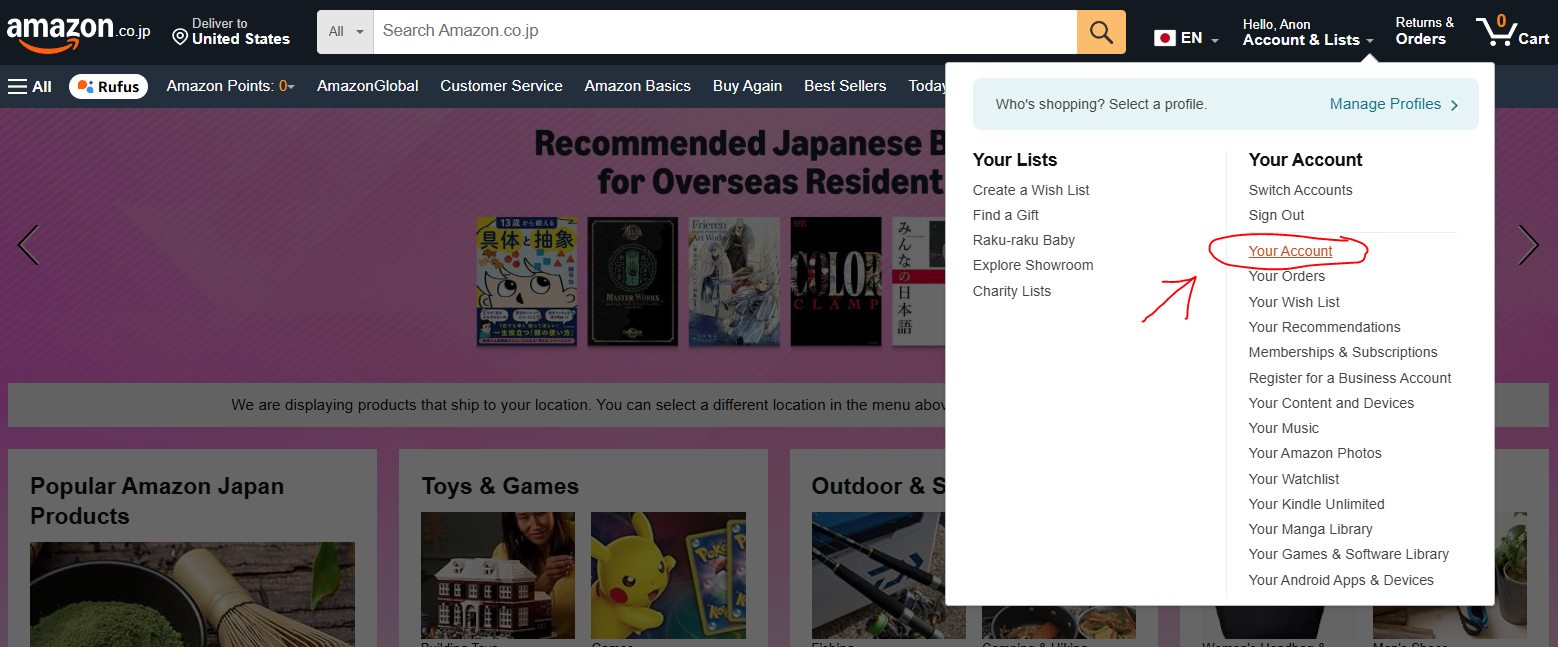
Go to your Amazon account page.
Screenshot below
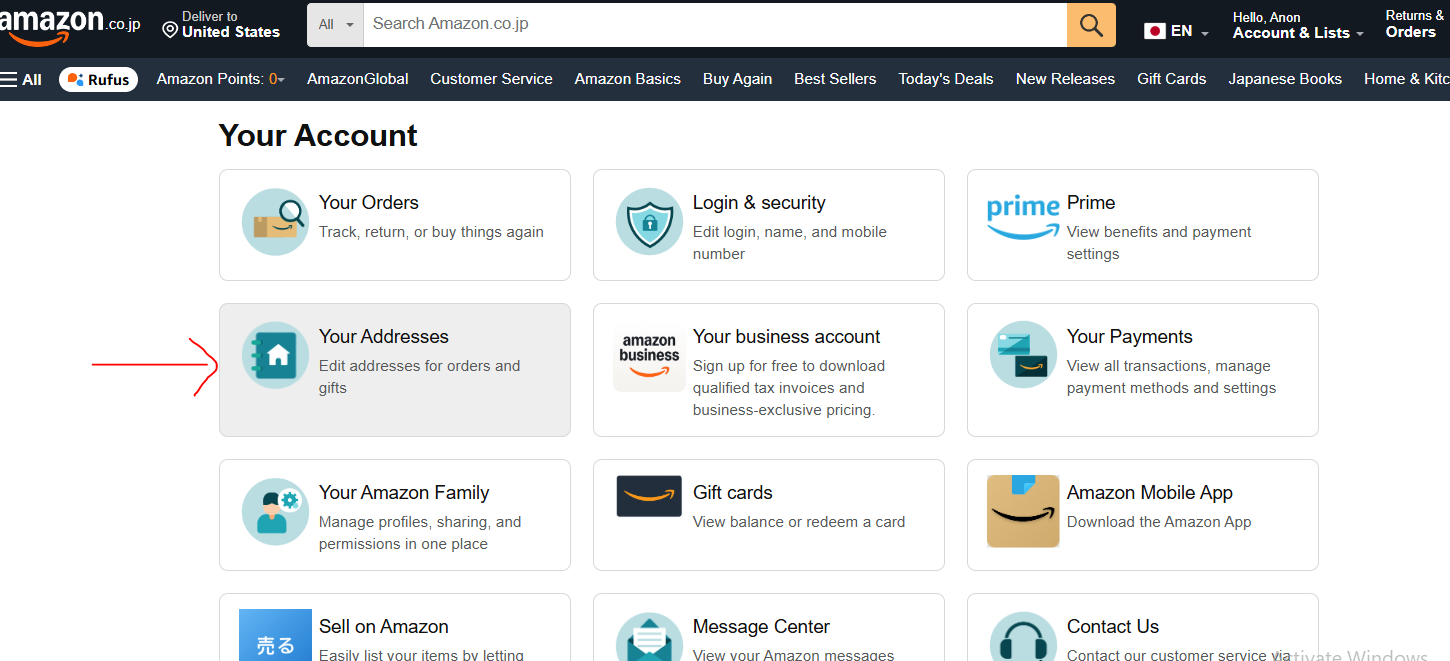
Select Addresses and add your normal US mailing address.
Screenshot below
4. Add a Payment Method
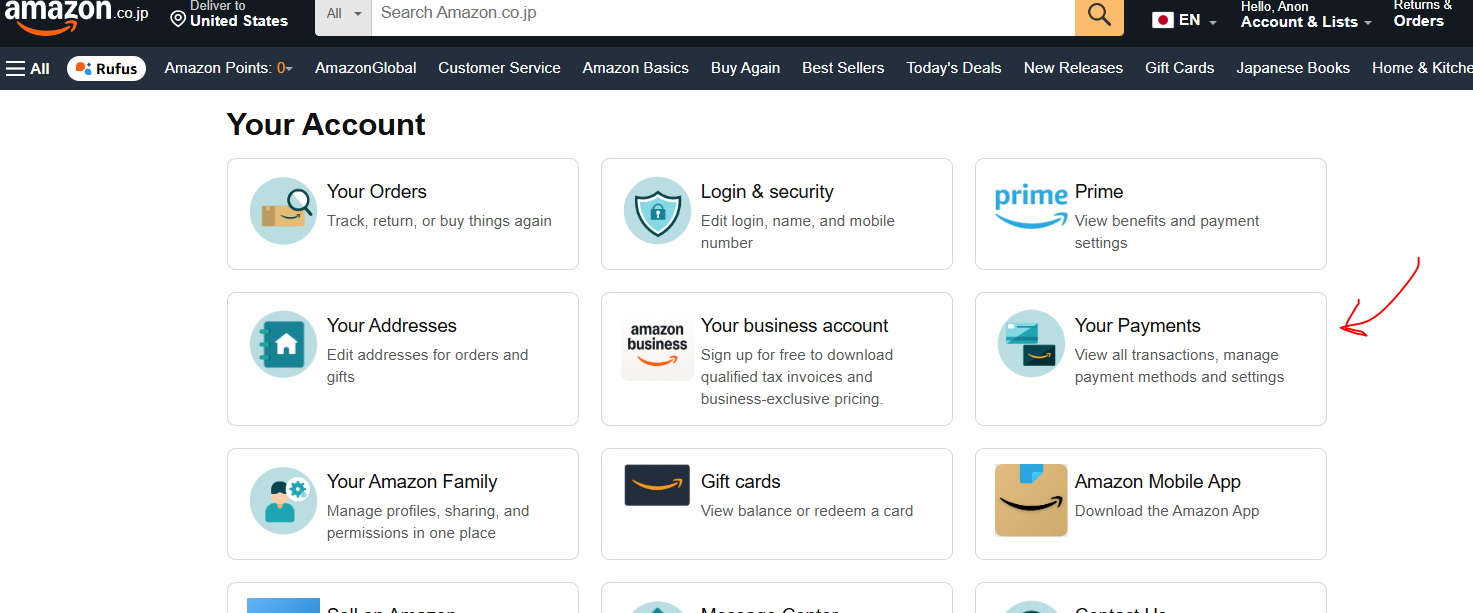
Under your account settings, choose Payment Methods and add your credit card or preferred payment option.
Screenshot below
 //Set the URL hyperlink color to be yellow instead of blue
That's it! You now have an Amazon Japan account with your US address and payment method added. You can request email invites (make sure you set up email) as well as purchase items that ship to US. Test it out with any JP product on PokeRestock - https://pokerestock.topdealalerts.com/region/jp
Make tracking Pokémon in stock alerts lightning fast and super easy.